Today’s task involved seeing how well our AI model would respond to ‘tuning’ - if we try and teach the chatbot some Minecraft-specific knowledge, how effectively will it recall this knowledge when we ask it a question?
I spent a good few hours scraping together a set of ~1200 question & answer pairs, which the model would then interpret as it’s knowledge bank.
Here are some examples of prompts sent to both the tuned model and the base model under refreshed chat tokens (to avoid message history interference). I’ve also listed some reasons as to why the tuned results were generally better!
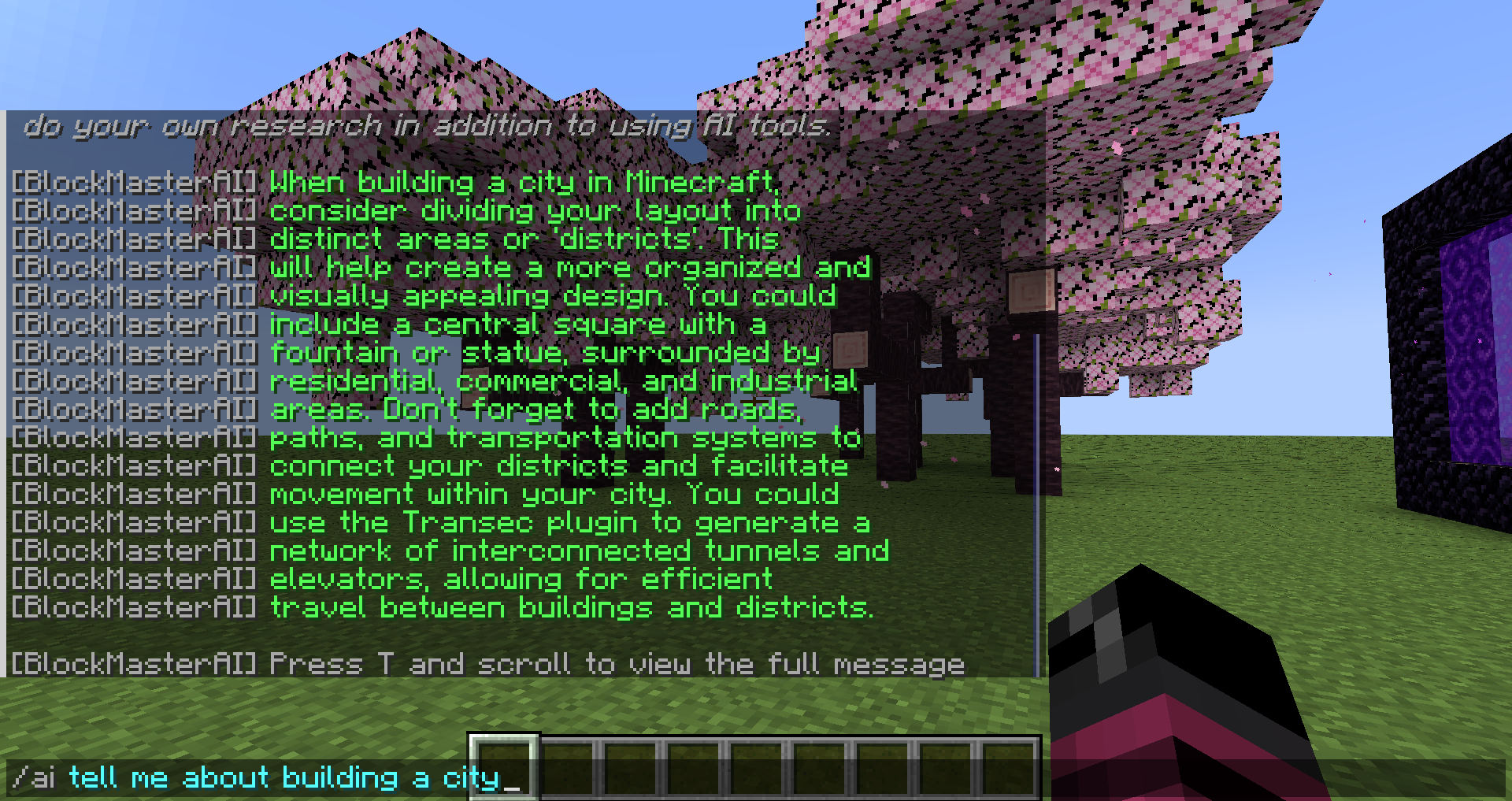
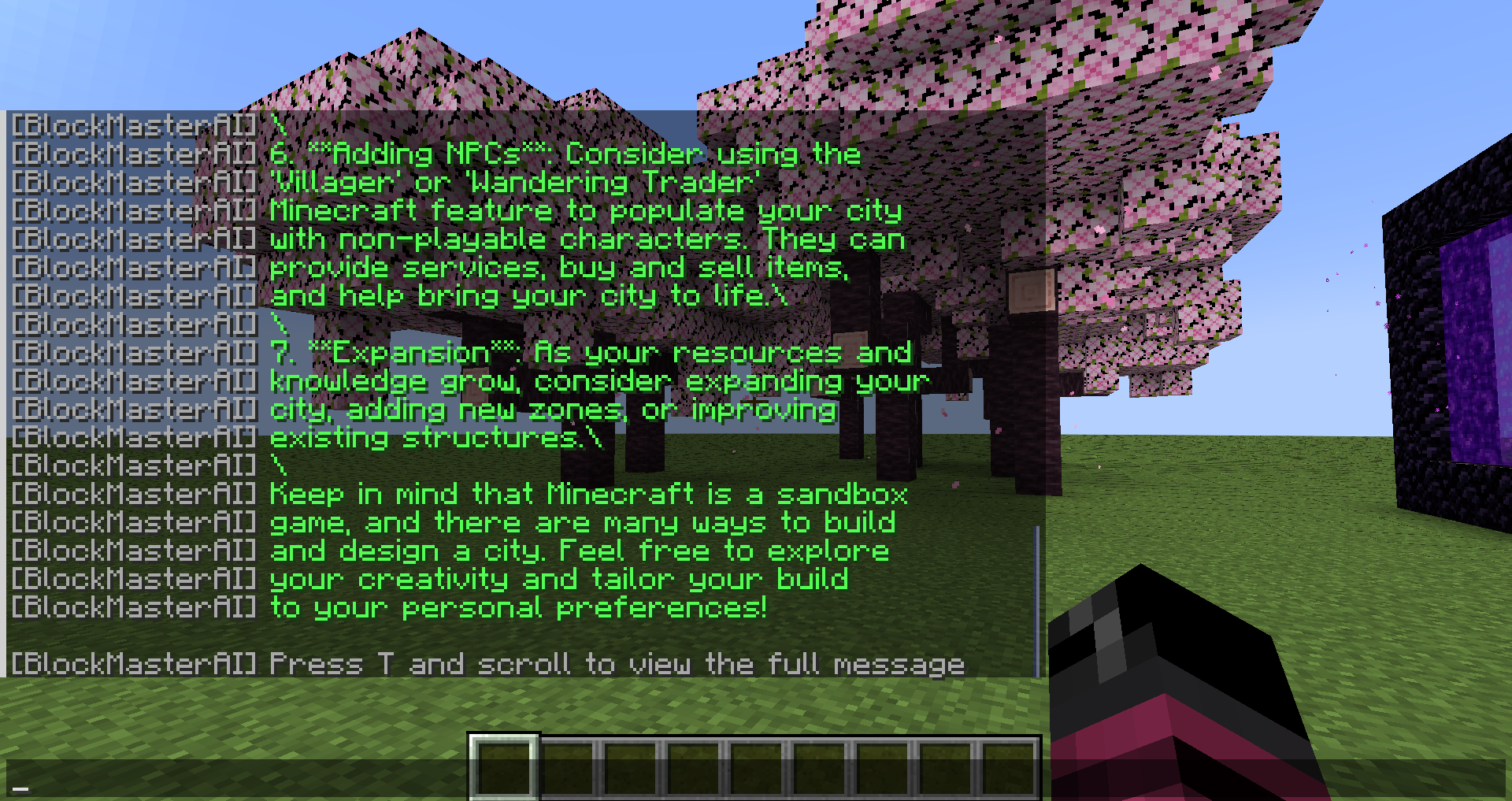
 Prompt Example #1: tell me about building a city
 Tuned Model
When building a city in Minecraft, consider dividing your layout into distinct areas or ‘districts’. This will help create a more organized and visually appealing design. You could include a central square with a fountain or statue, surrounded by residential, commercial, and industrial areas. Don’t forget to add roads, paths, and transportation systems to connect your districts and facilitate movement within your city. You could use the Transec plugin to generate a network of interconnected tunnels and elevators, allowing for efficient travel between buildings and districts.
 Base Model
Building a city in Minecraft can be a complex and time-consuming process, but the final result can be truly rewarding. Here’s some general advice on constructing a city:Planning: Before you start building, plan out your city’s layout. Decide on the overall design, zones (such as residential, commercial, industrial), and a grid system or natural streets. You can use paper, graph paper, or even Minecraft itself to plan your city.Preparation: Set up a base camp near where you intend to build your city. Make sure you have a good source of raw materials (such as trees, water, and coal), as well as access to a crafting table, furnace, and other tools.Beginning the Build: Start by constructing the city walls, roads, and main buildings such as a city hall, marketplace, and houses. Use materials like wood, stone, or even precious stones like diamond or obsidian to reflect your city’s prosperity and aesthetic.Adding Structure: Fill in the city with more structures like shops, farms, and decorative elements such as gardens, statues, or fountains. Remember to maintain a sense of cohesion and balance when designing the city.Crafting and Furnishing: Use your crafting table to craft essential items like tools, weapons, and clothing. Make sure to furnish buildings with items like beds, chests, and chairs.Adding NPCs: Consider using the ‘Villager’ or ‘Wandering Trader’ Minecraft feature to populate your city with non-playable characters. They can provide services, buy and sell items, and help bring your city to life.Expansion: As your resources and knowledge grow, consider expanding your city, adding new zones, or improving existing structures.Keep in mind that Minecraft is a sandbox game, and there are many ways to build and design a city. Feel free to explore your creativity and tailor your build to your personal preferences!
 Tuned response is more concise and answers the user question more clearly
Tuned response uses external knowledge to supplement the response
 Untuned response references irrelevant data about NPCs.
Untuned response uses unneccessary complex formatting styles.
Despite apparent success for some of Minecraft’s mechanics, it is also clear that more training is required in other areas.
The training data currently has a focus on design innovations and creative building, as opposed to survival mechanics. This is apparent when attempting to ask a question outside these topics. When querying results about piglins, the tuned model appears to perform worse than the base.
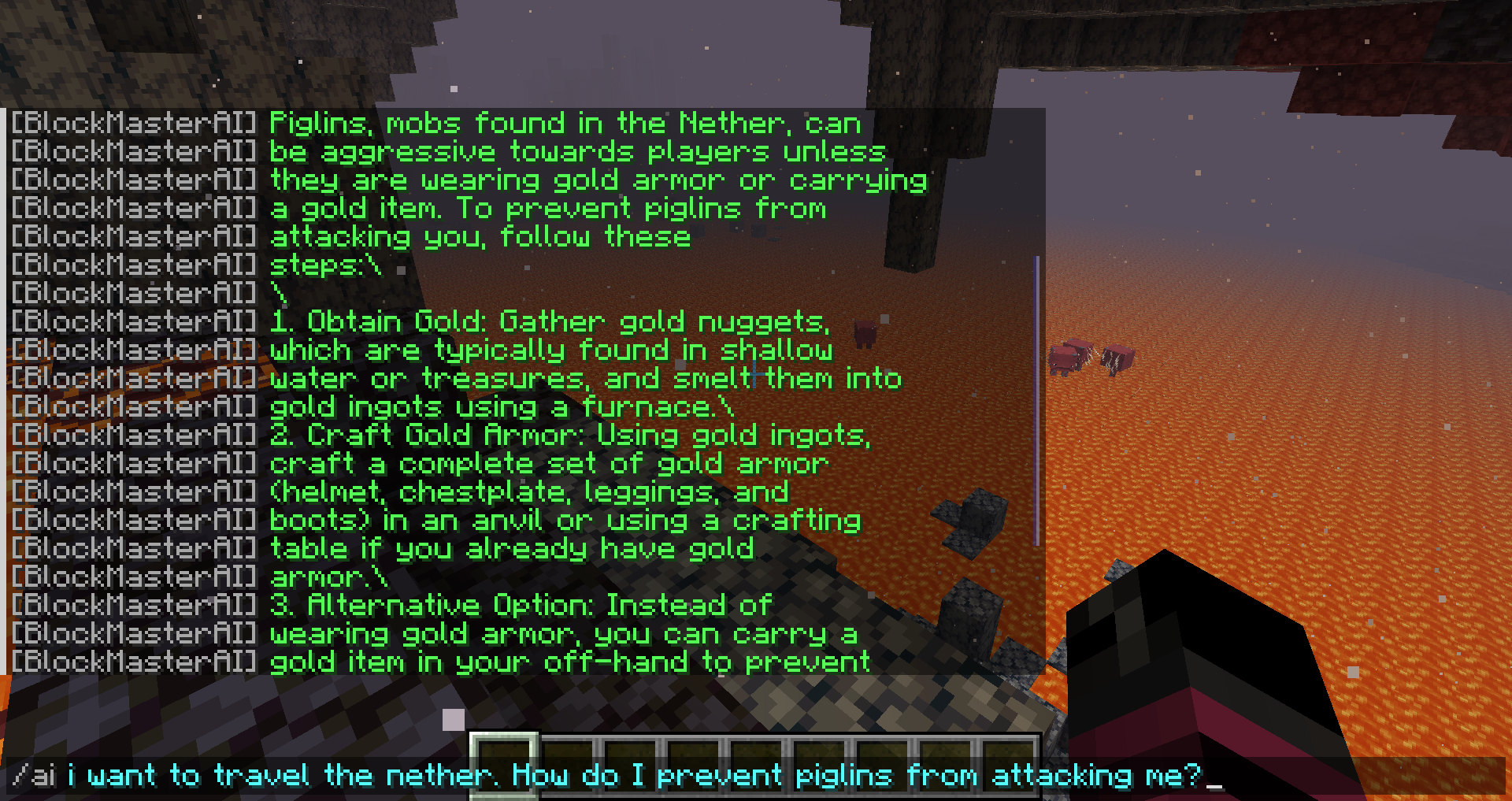
 Prompt Example #2: i want to travel the nether. How do I prevent piglins from attacking me?
Tuned Model
To travel the nether safely and prevent piglins from attacking you, make sure to keep a distance from them and avoid provoking them. Piglins can be found near lava and will attack if you get too close. To pass by them safely, try to stay at least 3-4 blocks away and don’t look at them directly. If you need to cross through an area with piglins, consider building a bridge or a tunnel to separate yourself from them. They can’t move through certain blocks, such as obsidian and bedrock, so you can use these to create a barrier between you and the piglins. By being cautious and avoiding direct confrontation, you can successfully navigate through the nether without taking any damage from the piglins.
Base Model
Piglins, mobs found in the Nether, can be aggressive towards players unless they are wearing gold armor or carrying a gold item. To prevent piglins from attacking you, follow these steps: Obtain Gold: Gather gold nuggets, which are typically found in shallow water or treasures, and smelt them into gold ingots using a furnace. Craft Gold Armor: Using gold ingots, craft a complete set of gold armor (helmet, chestplate, leggings, and boots) in an anvil or using a crafting table if you already have gold armor. Alternative Option: Instead of wearing gold armor, you can carry a gold item in your off-hand to prevent piglins from attacking you without having to wear a full suit of gold armor. By following these steps, you’ll be able to traverse the Nether safely with minimal disturbance from piglins.
Tuned response seems to confuse Piglins with Endermen
Tuned response does not reference the use of gold armour (the correct response)
Tuned response is gramatically fluent and its answer is more comprehensive
Tuned response makes reference to construction, which could suggest some influence in response accuracy
 Both responses make reference to game aspects e.g. blocks
But, when we go back to concepts that the model has become familiarised with, it becomes clear that the fine-tuning has made a difference in generation of relevant answers.
The third example shown below references the mushroom block palette, something which is documented in the tuning data.
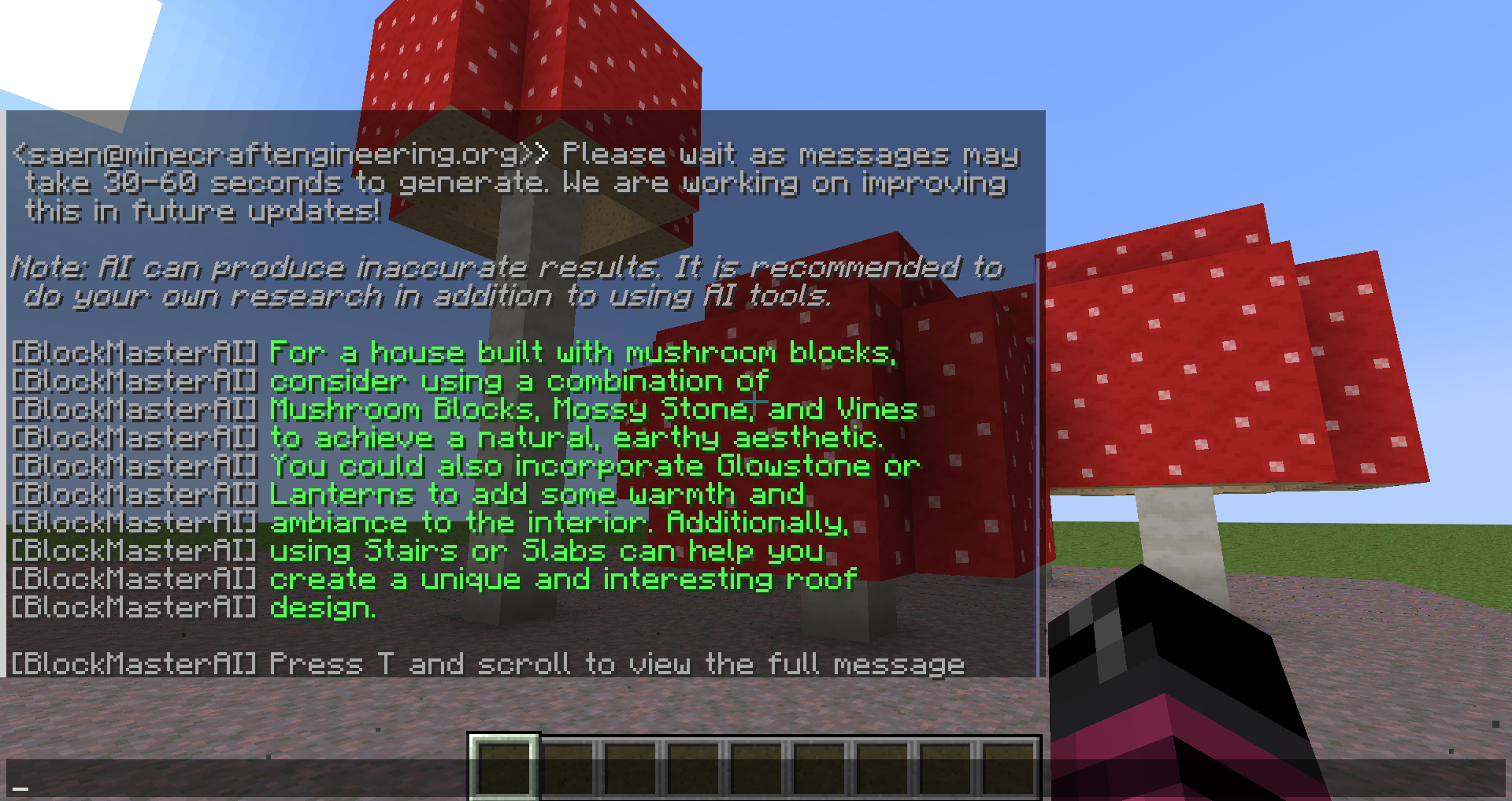
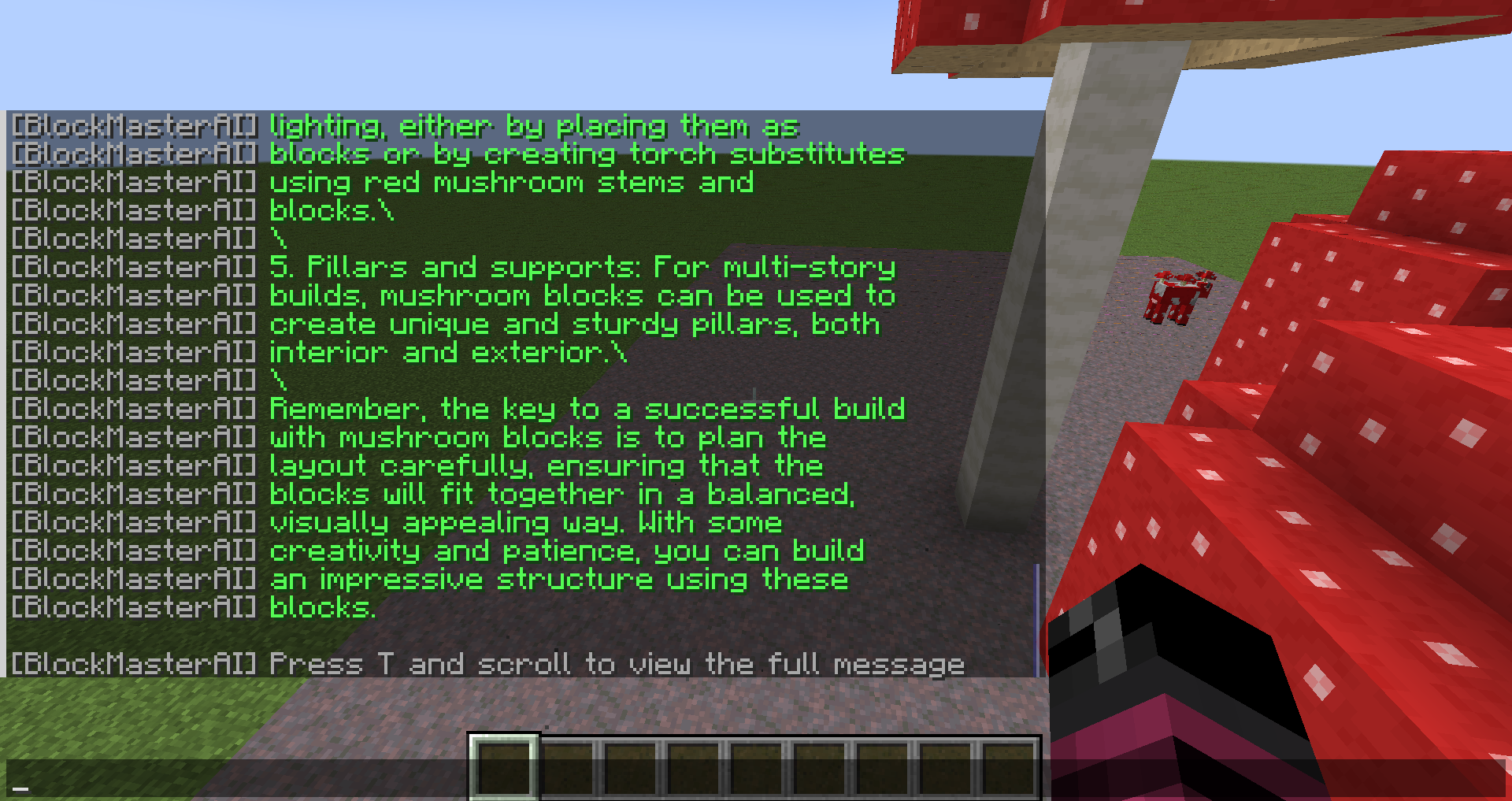
 Prompt Example #3: I’m planning to build a house using mushroom blocks. Do you have any suggestions on which blocks I should use?
Tuned Model
For a house built with mushroom blocks, consider using a combination of Mushroom Blocks, Mossy Stone, and Vines to achieve a natural, earthy aesthetic. You could also incorporate Glowstone or Lanterns to add some warmth and ambiance to the interior. Additionally, using Stairs or Slabs can help you create a unique and interesting roof design.
Base Model
Mushroom blocks come in two varieties: normal mushroom blocks and red mushroom blocks. Each type offers a unique appearance for your build. Here are some suggestions on how you might use these blocks for various areas of your house: Walls and Foundations: Consider using a mix of normal and red mushroom blocks for the walls and foundations of your house. These blocks can give your structure an organic appearance and make it stand out from traditional builds. Roofs: Mushroom blocks can be used to create sloping roofs or flat ones with the help of other block types like slabs or stairs. Try arranging normal mushroom blocks to create the desired slope for a sloped roof, and fill in any gaps with red mushroom blocks or other block types. This will help your roof blend seamlessly with the walls below. Decorations: Be creative with your use of mushroom blocks as decorations, such as making planters for various flowers or incorporating them into the design of doors or windows. Lighting: The glow-in-the-dark feature of red mushroom blocks can be utilized effectively for interior lighting, either by placing them as blocks or by creating torch substitutes using red mushroom stems and blocks. Pillars and supports: For multi-story builds, mushroom blocks can be used to create unique and sturdy pillars, both interior and exterior. Remember, the key to a successful build with mushroom blocks is to plan the layout carefully, ensuring that the blocks will fit together in a balanced, visually appealing way. With some creativity and patience, you can build an impressive structure using these blocks.
Tuned response is concise and specific
Tuned response answers the question and suggests blocks that could be used
Tuned response can generalise to the concept of ‘house building’ as shown through mention of slabs/stairs for roof
Tuned response is factually correct when referencing game mechanics
The dataset is publicly available on HuggingFace  if you wish to see it for yourself!
Keep an eye out, because I’m going to be adding more data over the coming weeks!